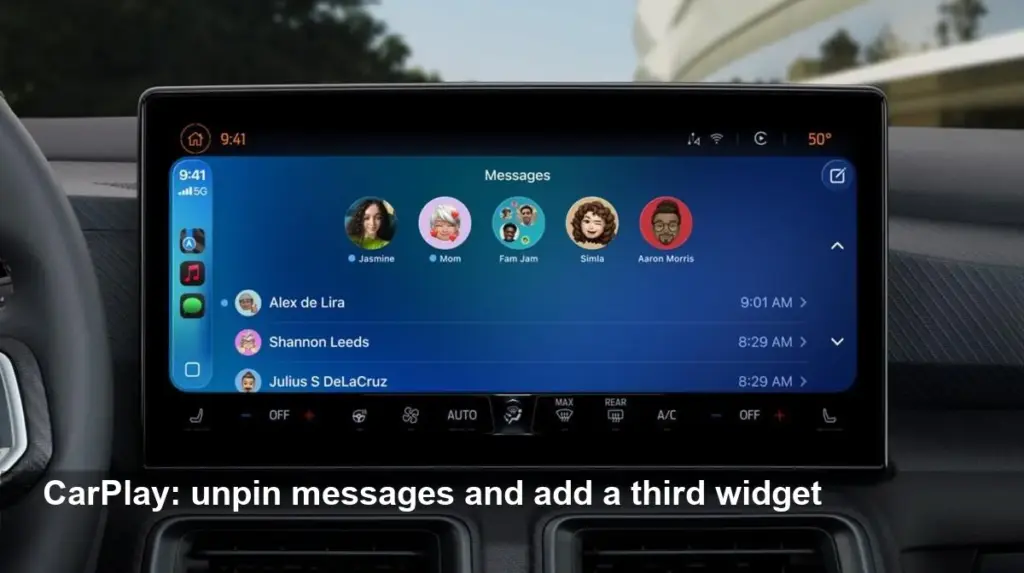
- Apple will add two practical CarPlay upgrades in iOS 26.2 due in December: unpin messages from the car display and add a third widget.
- The update allows drivers to unpin Messages via the infotainment screen and place three widgets on one CarPlay view.
- Multiple widgets appear to block Live Activities when three are active; the feature rollout varies by vehicle system.
Two practical updates in iOS 26.2
Apple’s next iPhone software update, iOS 26.2, brings two small but useful changes to CarPlay that make in-car interactions easier. After major CarPlay overhauls in iOS 26 (and interim refinements in iOS 26.1), this follow-up focuses on improving everyday convenience for drivers.
Unpin messages directly from CarPlay
One of the headline features in iOS 26.2 is the ability to unpin Messages conversations from the CarPlay display. Pinned chats have been manageable on iPhone, iPad and Mac for some time, but until now unpinning required leaving the car UI. With the update, users can remove pins from the infotainment screen, giving drivers and passengers more control without touching their phones.
Why it matters: quick access to message management reduces the need to switch devices while driving and keeps the CarPlay interface tidy.
Add a third widget to your CarPlay screen
Tom Warren of The Verge spotted another change: iOS 26.2 allows some CarPlay systems to show three widgets at once instead of the previous two. That makes it possible to keep, for example, a clock, weather, and music widget (Spotify) on-screen together for at-a-glance info.
Embedded post (Tom Warren on X): https://x.com/tomwarren/status/1989092748239204656?s=20
A caveat: when three widgets are active, Live Activities — the real-time banners that update things like a delivery status or flight tracking — may not be available simultaneously. Early reports suggest the third widget option depends on how the carmaker implements CarPlay in each car’s infotainment system.
What this means for drivers
These are incremental rather than transformational updates, but they improve the usability of CarPlay for daily driving. Unpinning messages from the dash reduces friction for managing conversations, while an extra widget slot gives drivers faster access to essential info without digging through menus.
Drivers should note that behavior can vary by vehicle: some infotainment systems may display the new options immediately after updating to iOS 26.2, others may require additional car software updates.
When to expect iOS 26.2
Apple has confirmed a December release window for iOS 26.2. If you’re running iOS 26.1 or earlier, expect this update to roll out to supported iPhones in the coming weeks. Once available, update your iPhone and check your vehicle’s CarPlay settings to enable the new features.
Bottom line: iOS 26.2 refines CarPlay by adding on-screen message unpinning and a third widget slot — small tweaks that improve convenience for drivers and passengers.
Image Referance: https://www.bgr.com/2042875/ios-26-2-new-carplay-features/
